Use-Case Realization Structure
Last updated:
May 24, 2006
Objectives: After
completing this module, you'll be able to
-
Explain the importance of the use-case
realization structure in organizing your model
-
Use the Rose tool to create the
use-case realization structure for your interaction and class diagrams
-
Use the Rose tool to create a
traceabilities diagram to visually show the contract between use-case
realization and use case
The Use-Case Realization
Structure:
-
How will you make the
transition from what the system should do to how it will do it?
-
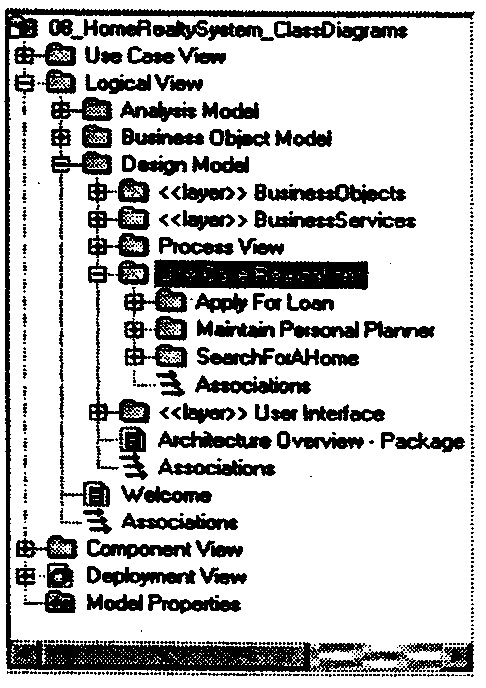
The use-case realization structure
helps to organize the model elements needed to realize the use cases in the
design model
-
The use-case
realization structure includes the following elements
Use-Case Realization
Packages:
-
Use-case realization packages are a
means for organizing a use case's class and interaction diagrams
-
For the use-case realization
structure, you will first create a package called Use-case to be realized in
the design model
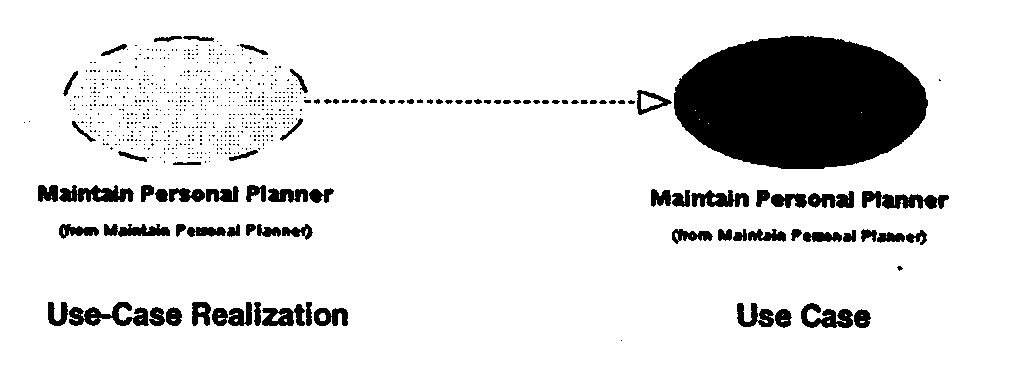
Tracebilities Diagrams:
Create Use-Case
Realization Structure:
-
Add Use-Case
Realization Package:
-
Open Lab4_2.mdl
-
Expand Use Case View -> Expand
Use-Case Model -> Expand Use Cases
-
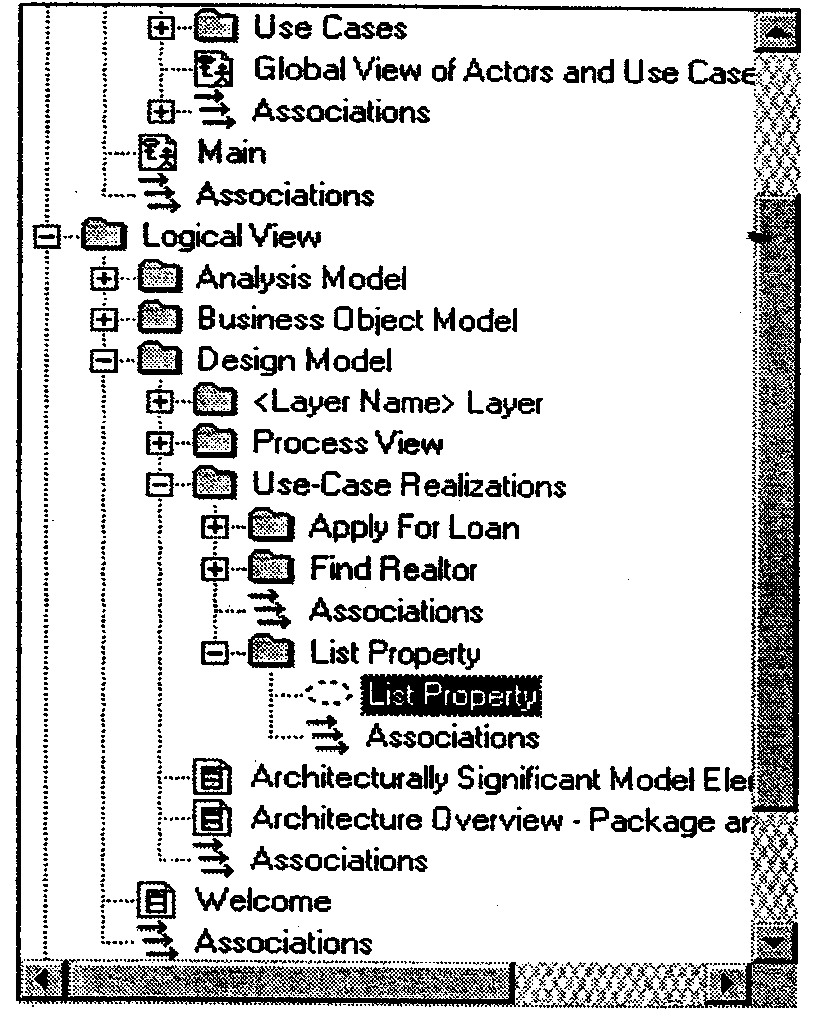
Expand Logical View -> Expand
Design Model -> Expand Use-Case Realizations
-
Determine the remaining use cases
that need use-case realization structures
-
Add and name the remaining
packages under the Use-Case Realizations packages
-
Add Use-Case
Realizations to the Browser:
-
Right-click the
use-case realization package -> Add a new use case
-
Double-click the
use case -> In Specification window, click use-case realization in the
Stereotype list.
-
Repeat above steps for each
use-case realization
-
Create Traceabilities
Diagrams
-
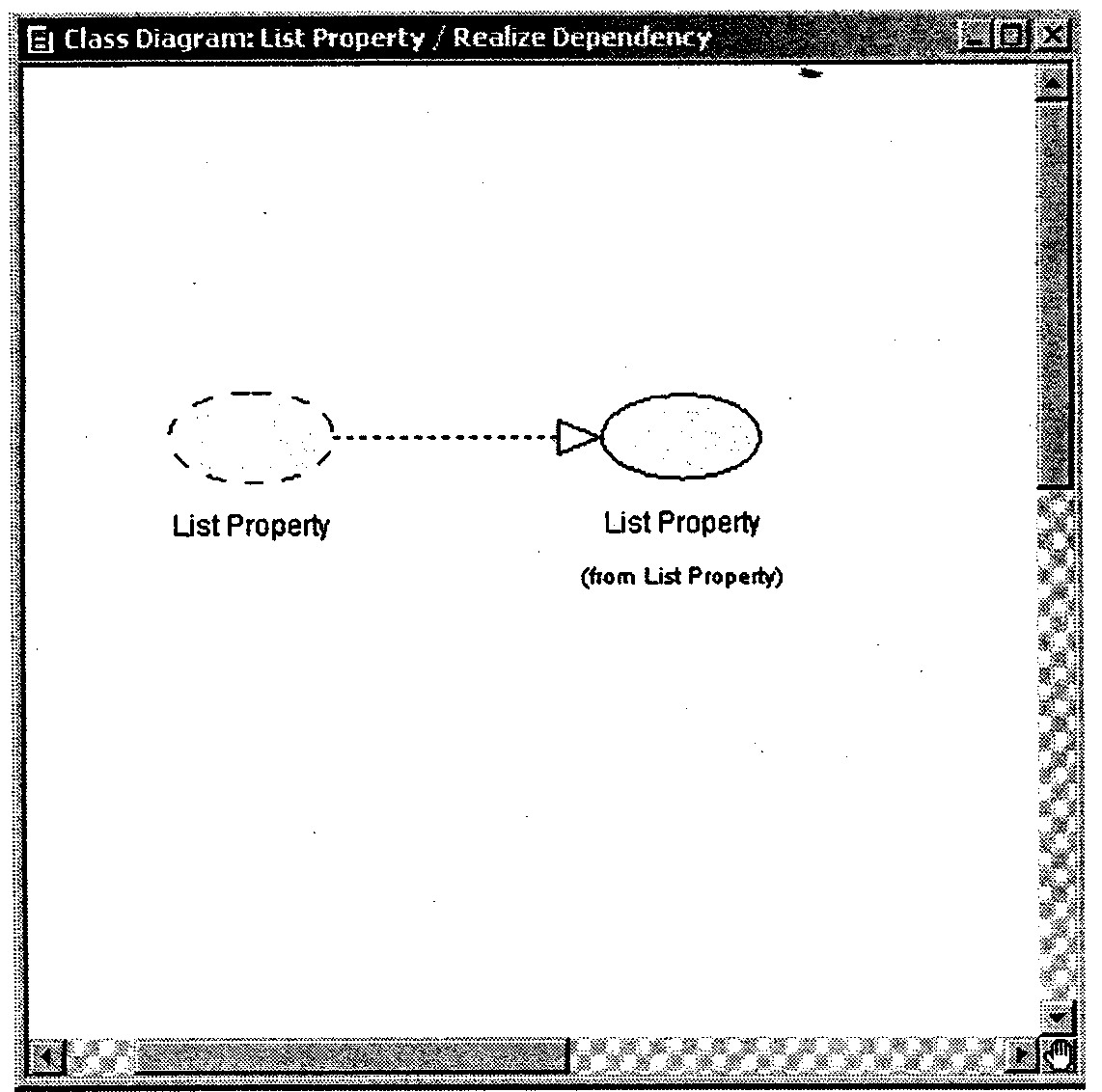
Create a class diagram called
Realize Dependency under a use-case realization package
-
Open the Realize Dependency ->
Drag the use case from the Use Case View on to the diagram
-
Drag the newly created use-case
realization from the logical View on to the diagram
-
Click the Realize icon on the
diagram toolbar, and then drag it from the use-case realization to the
use case